AIM Elemental Health Solutions
AEGCompliance Ops™
503B Lot Tracking & Chain of Custody — Built for Real Floor Operations
Live product walkthrough · 10 screens · Use ← → or click to navigate
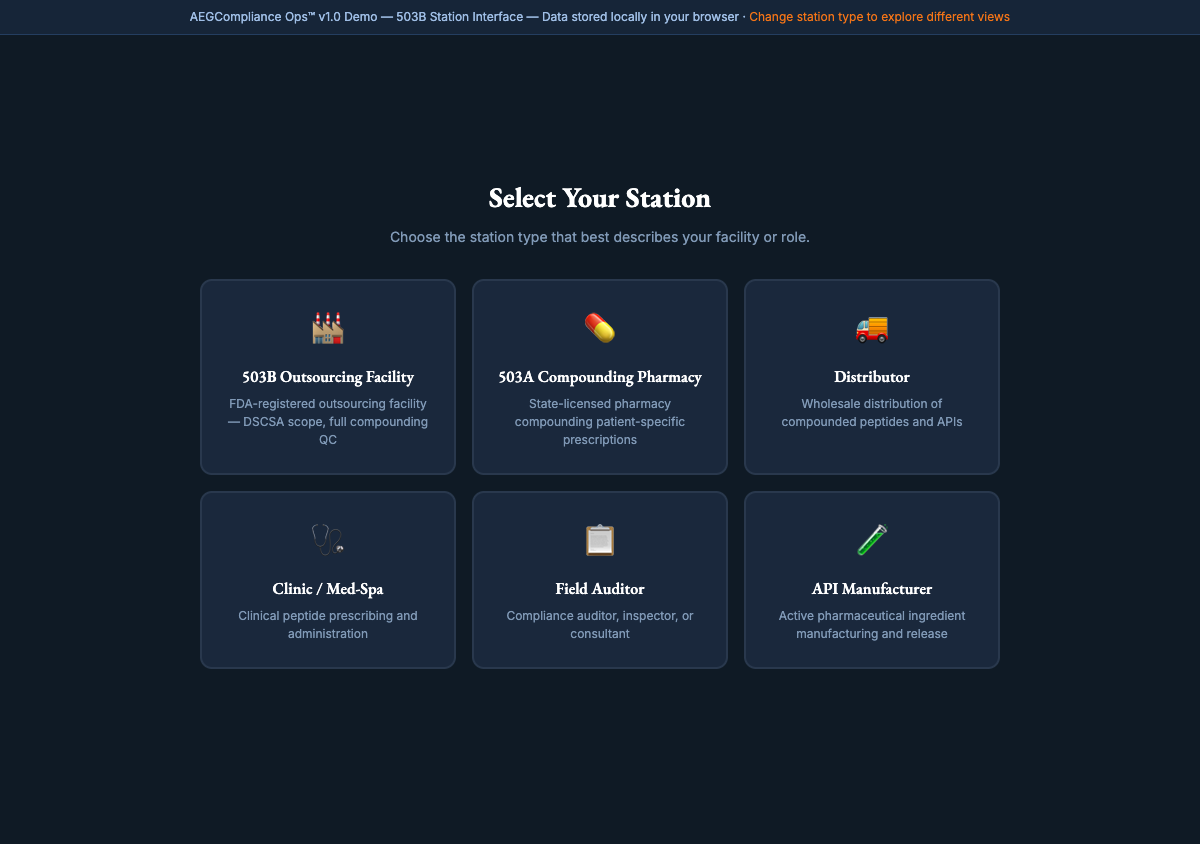
Step 1 of 4 — Setup
Station Selector
Choose your facility type on first launch. The app tailors vocabulary, workflow steps, and compliance scope to your context. Select 503B Outsourcing Facility for full DSCSA/lot tracking scope — the mode Talos Biotech runs in.
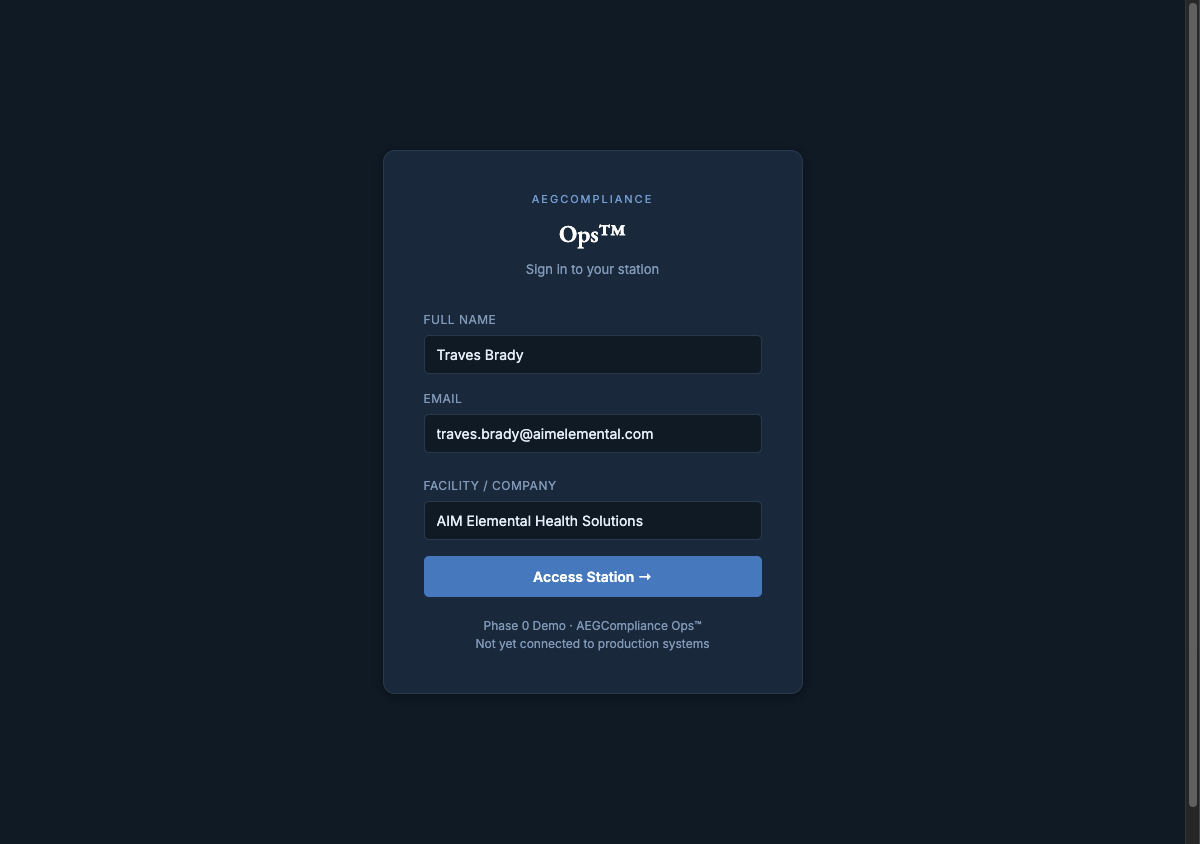
Step 2 of 4 — Identity
Operator Login
Enter your name, email, and company. Behind the scenes: the PWA fires a version check to
api.aegcompliance.com before the app shell loads — logging who, what version, when, and where to the D1 audit database. Then the dashboard appears.
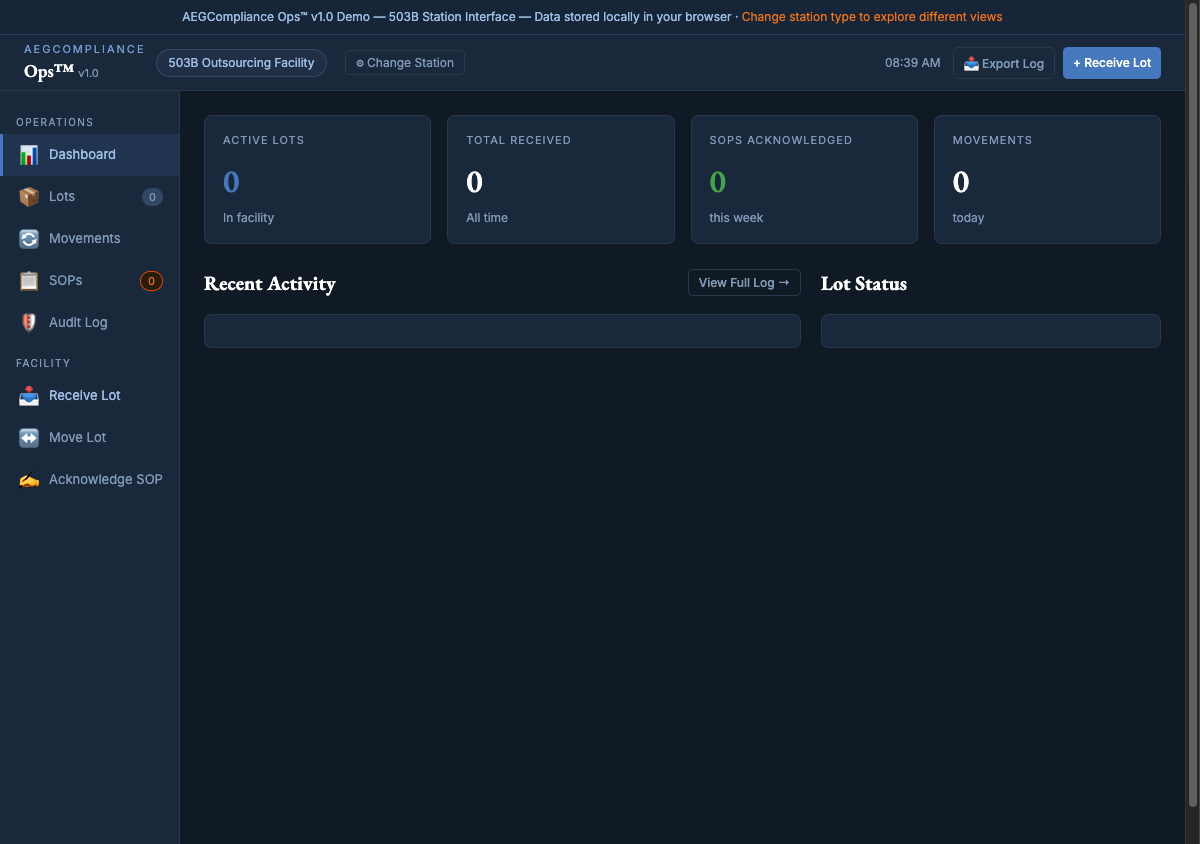
Core View
Operations Dashboard
Four live metrics at a glance: Active Lots, Total Received, SOPs Acknowledged this week, and Movements today. Below: a Recent Activity feed with full timestamp and operator attribution, and a Lot Status Summary color-coded by state. Every action on the floor surfaces here first.
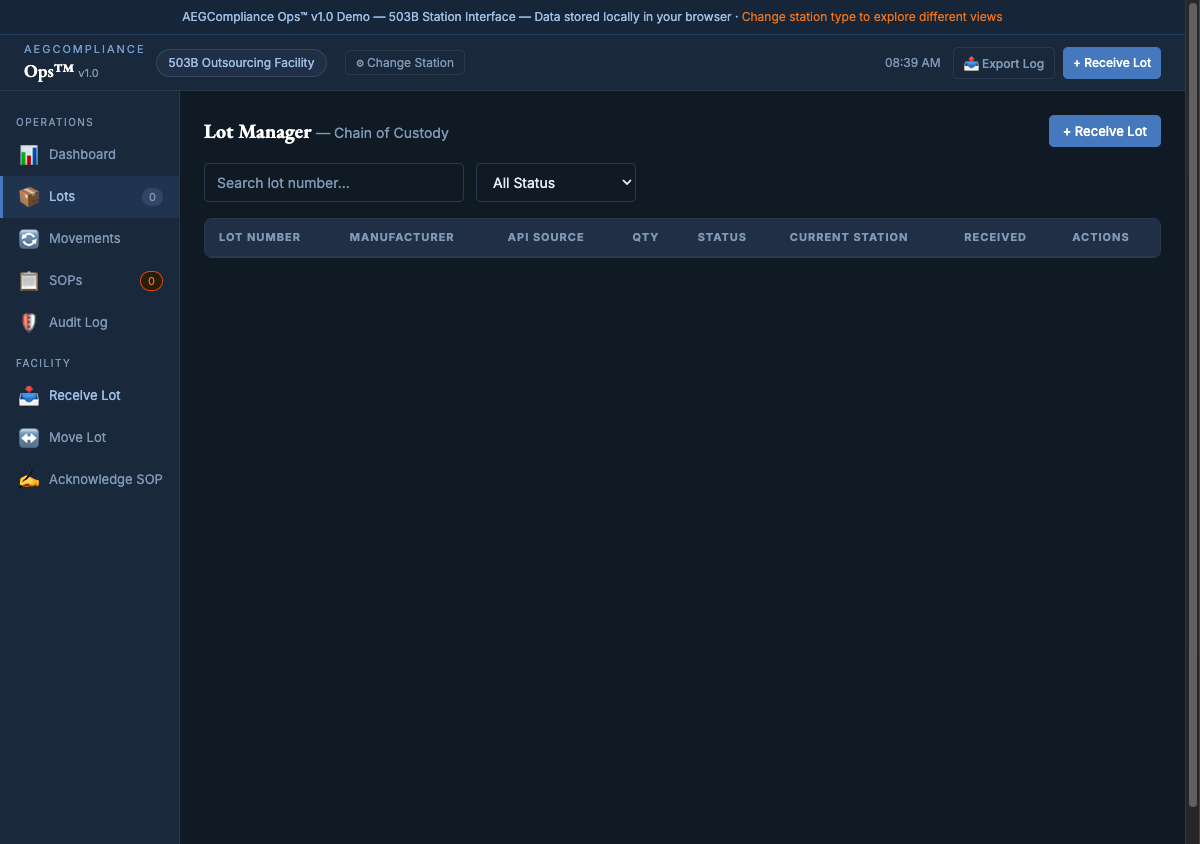
Chain of Custody Core
Lot Manager
Every lot in your facility, with lot number, manufacturer, API source country, quantity, status, current station, and received date. Search by lot number. Filter by status: active, depleted, expired, or recalled. The status badge is the compliance signal a floor operator sees first.
Chain of Custody Log
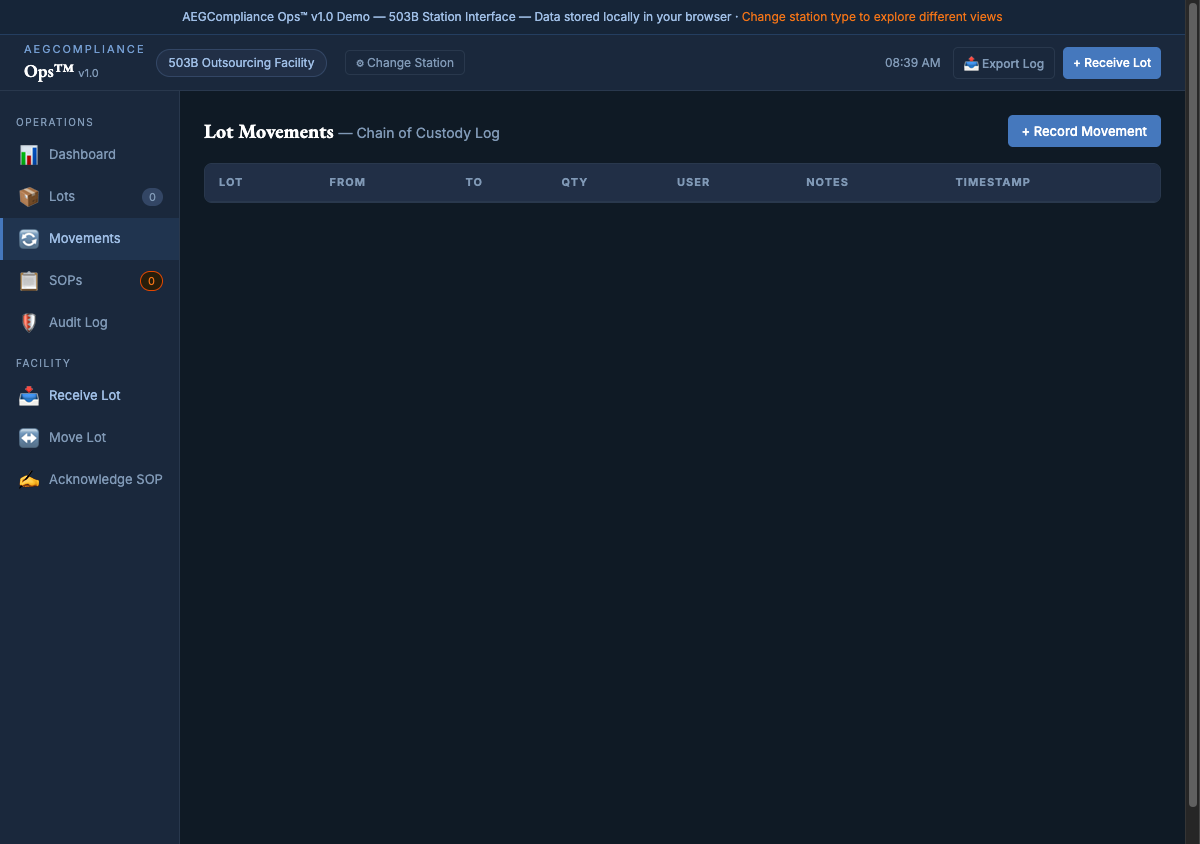
Lot Movements
Every custodial transfer is an immutable row: lot number, from-station, to-station, quantity moved, operator name, timestamp, and notes. This is the primary 503B audit document. A field inspector can export the full CSV in one click from the Audit Log view.
Compliance Engine
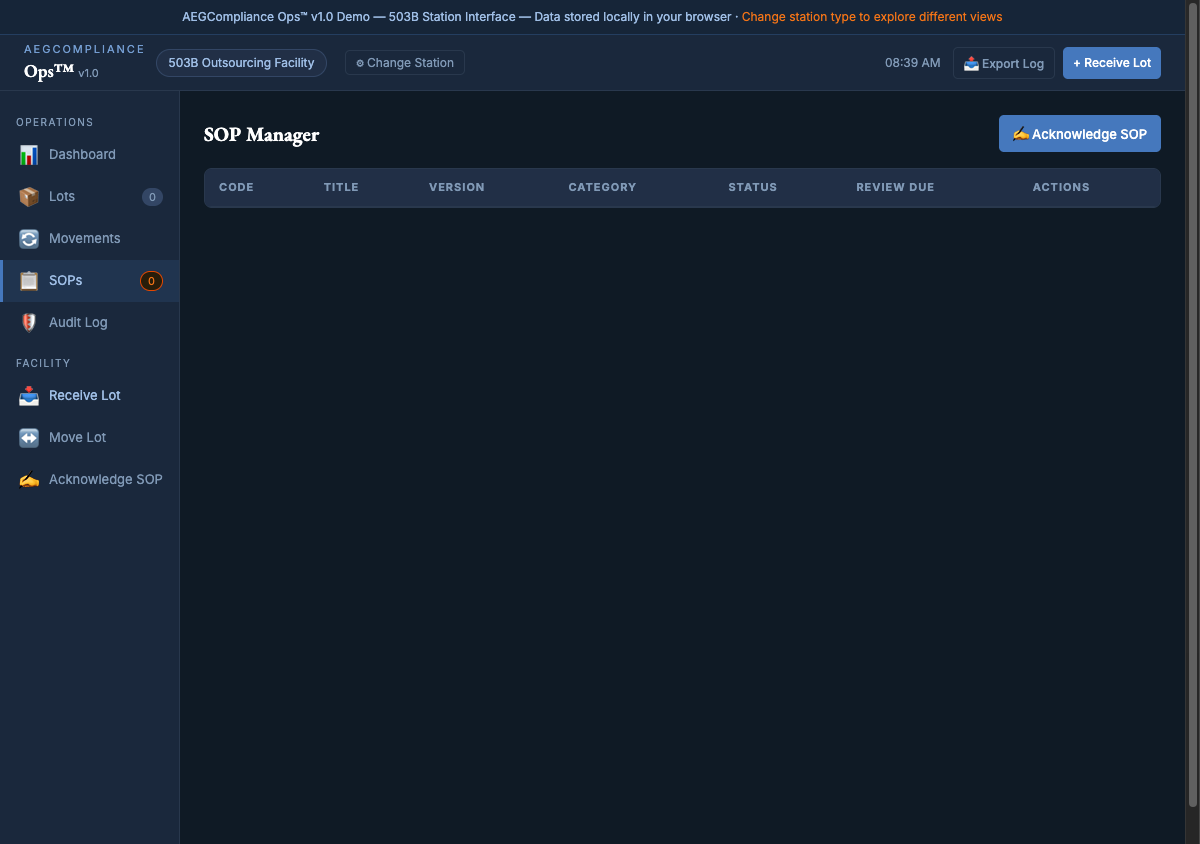
SOP Manager
Your living SOP registry. Left-border color coding is the visual compliance signal: ■ yellow = due for review, ■ blue = pending acknowledgment, ■ gray = current. Each SOP shows code, title, version, category, status, and review due date. Operators click Acknowledge SOP to read, sign, and lock in their acknowledgment.
Workflow — Intake
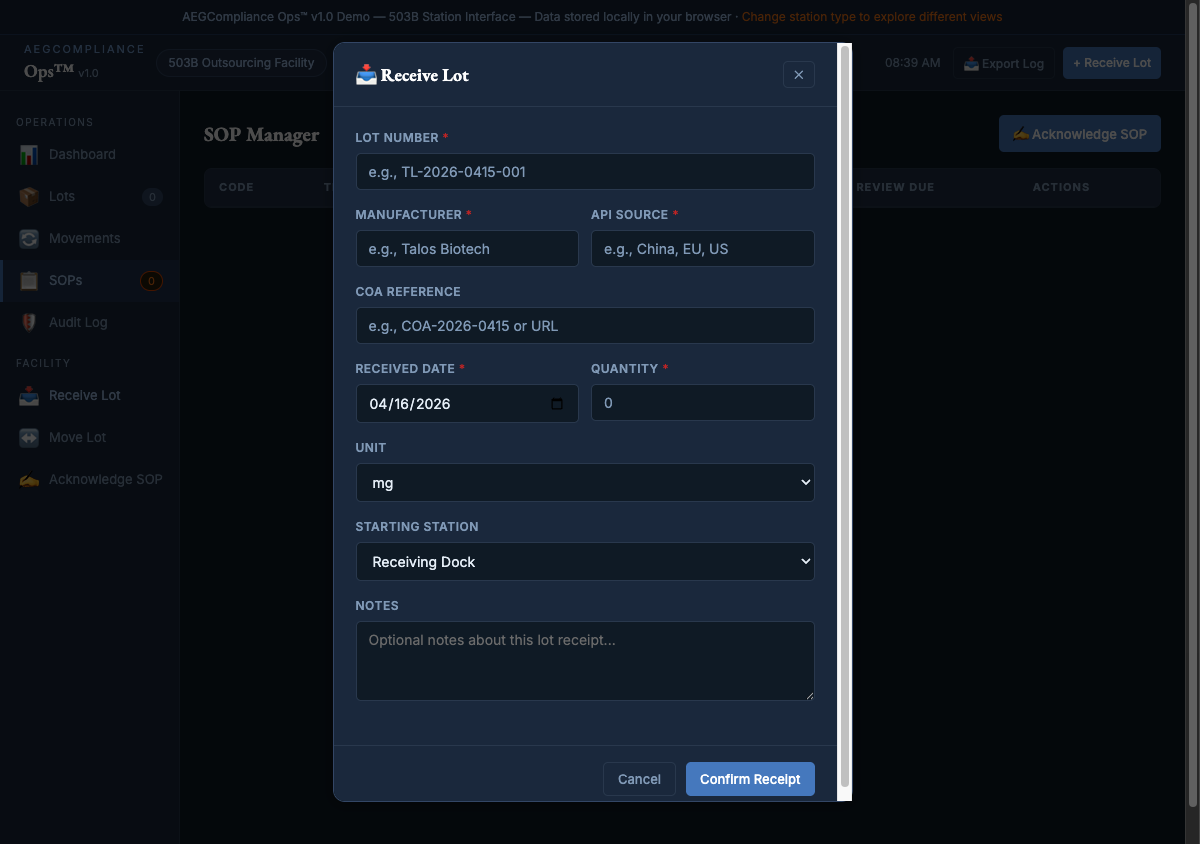
Receive Lot
The lot intake form. Fields: lot number, manufacturer, API source country, COA reference, received date, quantity, unit, starting station (defaults to Receiving Dock), and notes. On submission: creates the lot record, fires a
lot.received entry in the audit log, and updates dashboard metrics.
Workflow — Custodial Transfer
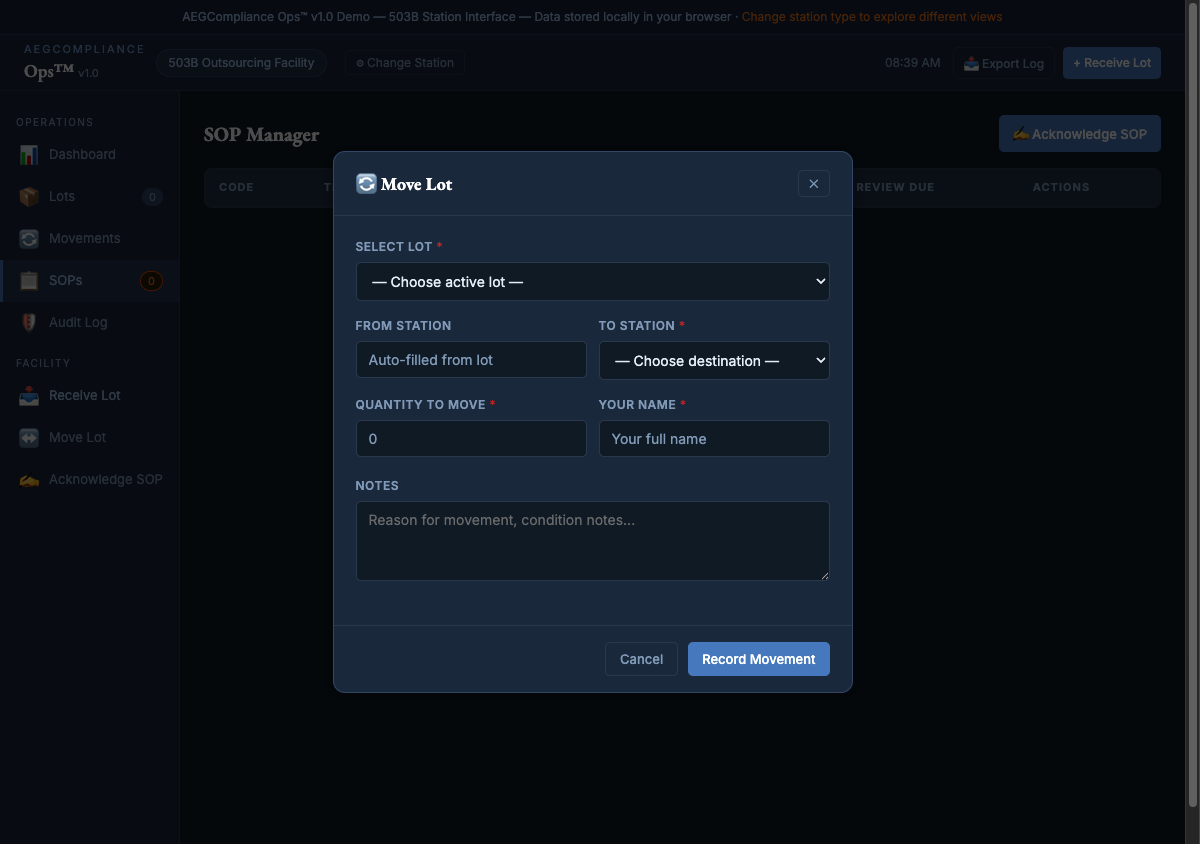
Move Lot
Select an active lot → quantity auto-fills from what's available → choose destination station → enter quantity being moved → sign with operator name. Submission creates both a lot quantity update and a movement record in the audit log. This is what makes the Audit Log a defensible chain of custody document.
Workflow — SOP Compliance
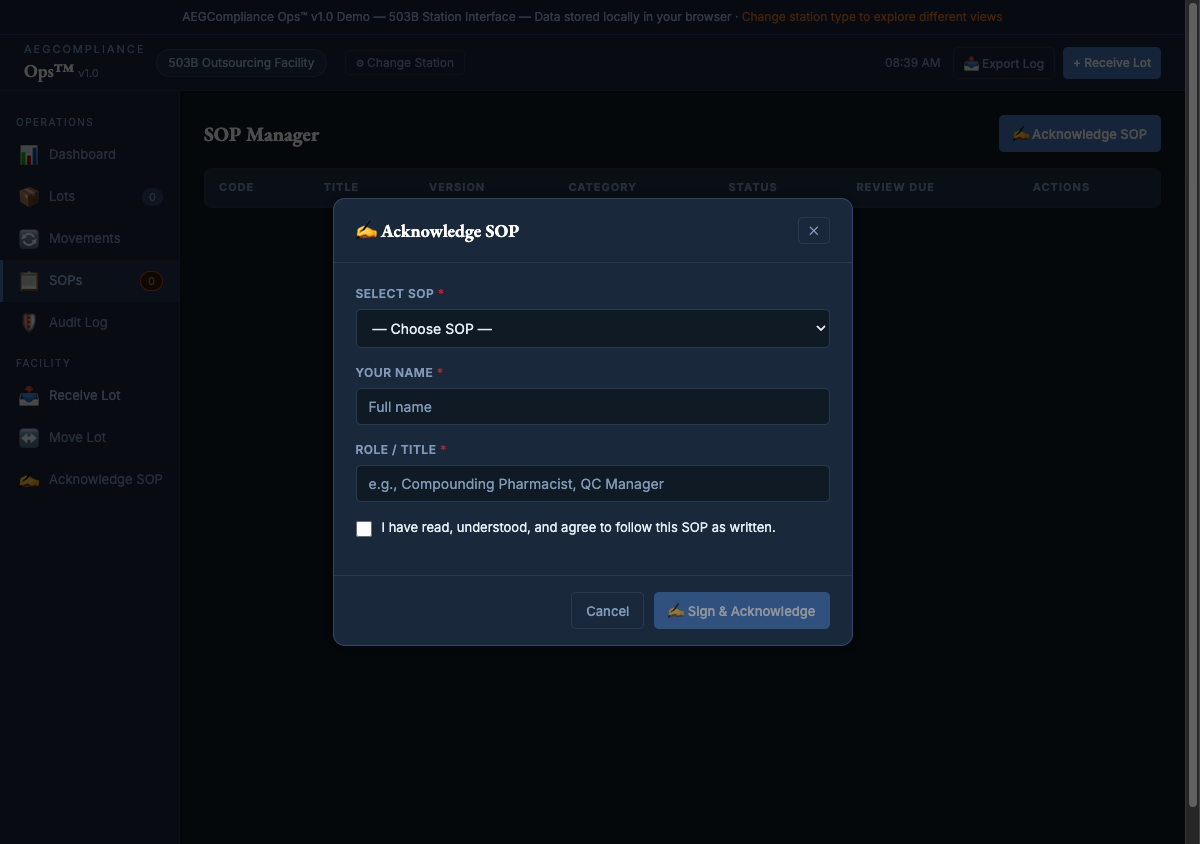
Acknowledge SOP
Three-step compliance signature: (1) Select the SOP from the dropdown, (2) Read the preview with code, title, and description, (3) Enter name and role, confirm the compliance checkbox, and sign. On submission: full acknowledgment is recorded with who, which SOP, what version, and when.

Regulatory Audit Trail
Audit Log
The immutable record. Every login, station selection, lot receipt, movement, and SOP acknowledgment is timestamped and attributed. Filter by event type. Export to CSV. Every login also writes a
version_logs entry — you know exactly what software version was running on every session. This is what a 503B inspector asks for first.
Next Step
Ready to Pilot?
Talos Biotech — 30-Minute Walkthrough on Real Lot Entry Workflow
Credentials shared with William Short + Daniel Finley · PWA live at ops.aegcompliance.com
Workers API audit trail live at api.aegcompliance.com
AEGCompliance Ops™ — Version 1.0 — 2026
Workers API audit trail live at api.aegcompliance.com
AEGCompliance Ops™ — Version 1.0 — 2026